
Key takeaways
- Field of view: Around 78 degrees suits a solo desk setup. Wider lenses (90 to 95 degrees) fit two people but show more of your room.
- Frame rate: Most webcams in this price range top out at 30fps at their highest resolution, which is fine for meetings.
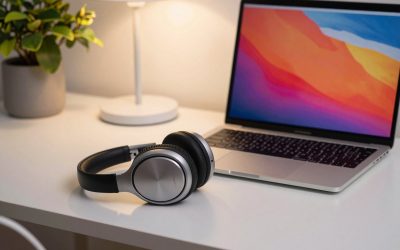
- Microphone: Built-in mics are the most common weak spot. A headset still sounds better than any webcam mic.
- Privacy shutter: A physical cover is a simple, reliable way to be sure the lens is blocked between calls.
- Auto-framing: Useful if you move around, but usually requires the maker’s companion app.
If you spend a few hours a week on video calls, the camera built into your laptop is probably the weakest link in your setup. Grainy footage, a dim face and a tinny microphone are the usual complaints, and a dedicated USB webcam fixes most of them for well under the price of a monitor. This guide covers the best webcams for Zoom meetings and video calls, with six models that keep appearing in reviewer roundups for video conferencing.
A quick note on method: we did not run hands-on tests. The picks below are based on manufacturer-published specifications and the feedback of professional reviewers, and we flag where sources disagree. Prices move often, so treat any figure as a rough guide and check the current listing before you buy.
What to Look For in the Best Webcams for Zoom Calls
Resolution matters less than people assume. Zoom, Google Meet and Microsoft Teams generally cap outgoing video at 1080p, so a 4K sensor mainly helps with cropping, digital zoom and sharper downscaling rather than a literally sharper call. Light handling, lens quality and autofocus usually decide how good you look.
- Field of view: Around 78 degrees suits a solo desk setup. Wider lenses (90 to 95 degrees) fit two people but show more of your room.
- Frame rate: Most webcams in this price range top out at 30fps at their highest resolution, which is fine for meetings.
- Microphone: Built-in mics are the most common weak spot. A headset still sounds better than any webcam mic.
- Privacy shutter: A physical cover is a simple, reliable way to be sure the lens is blocked between calls.
- Auto-framing: Useful if you move around, but usually requires the maker’s companion app.
Logitech Brio 500
The Brio 500 is the one most roundups put near the top for everyday meetings. It records 1080p at 30fps (or 720p at 60fps), with a 90 degree field of view you can narrow to 78 or 65 degrees in Logitech’s Logi Tune app. It has dual noise-reducing microphones, RightLight 4 exposure correction, RightSight auto-framing and a built-in privacy shutter. The cable is a fixed USB-C connection, and the camera detaches magnetically from its mount to reveal a tripod thread. Logitech lists it at 129.99 dollars, though street prices are often lower.
Pros: strong automatic light correction, auto-framing, a built-in shutter and a flexible field of view. Cons: 30fps cap at 1080p, a premium price for a 1080p camera, and at least one reviewer found sharpness only mediocre. Best for: professionals who want a polished, low-fuss upgrade.
Anker PowerConf C200
The PowerConf C200 is the value pick in several roundups, including Forbes Vetted. It shoots 2K (2560 x 1440) at 30fps from a 5MP sensor, with autofocus and a field of view you can switch between 65, 78 and 95 degrees in the AnkerWork software. A dual-mic array with AI noise cancellation handles audio, and a slider on top closes a physical privacy cover. Both USB-A and USB-C cables are reported in the box. It typically sells for around 45 to 70 dollars.
Pros: sharp 2K image, good price, built-in privacy cover, adjustable field of view. Cons: no auto-framing or tracking, 30fps cap, and moderate low-light performance. Reviewers also note the extra pixels will not show in apps that cap video at 1080p. Best for: budget-minded remote workers who share their screen often.
EMEET C960
The EMEET C960 is a straightforward budget option at roughly 40 dollars. It delivers 1080p video with a 90 degree field of view, dual microphones and a privacy cover. Its fixed-focus lens avoids the distracting focus hunting some cameras suffer, but it also means it is less suited to showing documents or small objects close to the lens. One roundup claims 4K support, which conflicts with the 1080p spec in other sources, so go with 1080p.
Pros: very low price, privacy cover, wide view, no focus hunting. Cons: fixed focus limits close-up work, and it offers fewer software controls than pricier rivals. Best for: students, spare-room setups and anyone replacing a poor laptop camera cheaply.
OBSBOT Meet 2
The OBSBOT Meet 2 is a very small camera, about 40 grams, with a 1/2 inch sensor. It records 4K at 30fps or 1080p at 60fps, has phase-detection autofocus, 4x digital zoom, AI auto-framing and a 79.4 degree field of view. A magnetic privacy cover is included, and two omnidirectional mics offer noise reduction. Connection is USB-C 2.0, which is why 4K tops out at 30fps. Stream Tech Reviews recommends it for anyone seeking a 4K webcam under 150 dollars, and one roundup lists it at about 129 dollars.
Pros: excellent detail, smooth 1080p60, AI framing, compact enough for travel. Cons: reviewers call the mics merely average, the housing warms up during long 4K sessions, and the cable is short. Best for: hybrid workers who want the best image in this group and travel with their gear.
Logitech C920 HD Pro
The C920 has been a default recommendation for years. Logitech lists 1080p at 30fps (or 720p at 30fps), a fixed 78 degree field of view, a five-element glass lens, autofocus and two stereo microphones. It connects over USB-A and works with essentially every conferencing app. Tom’s Guide called it the best webcam for most people when it reviewed it, but newer models have since passed it by.
Pros: proven reliability, simple plug-and-play use, widely available. Cons: no built-in privacy shutter, a thin-sounding microphone per PCGamesN and TechRadar, and grainy footage in low to moderate light. Best for: anyone who wants a dependable 1080p camera at a modest price.
Microsoft Modern Webcam
The Microsoft Modern Webcam is a 1080p, 30fps camera with a 78 degree field of view, HDR, auto exposure and anti-flicker. It has an integrated privacy shutter and an LED indicator, mounts by clip or tripod thread, and is Teams-certified. It uses USB-A. Windows Central reviewed it at around 55 dollars, while another review says it launched at 70 dollars.
Pros: good exposure handling with a bright window behind you, built-in shutter, low cost. Cons: most reviewers call the microphone weak, there is no companion app for manual adjustments, and low-light results fade without a desk lamp. Best for: Teams-heavy offices and users who pair it with a headset.
Frequently Asked Questions About Webcams for Zoom and Video Conferencing
Do I need a 4K webcam for Zoom?
Usually not. Zoom and similar apps generally send 1080p at most, so a good 1080p camera with strong light handling often looks better than a poor 4K one.
Is a built-in webcam microphone good enough?
For occasional calls, yes. Reviewers of almost every model above recommend a headset or a dedicated microphone if audio quality matters to you.
Do I need auto-framing?
Only if you move around or share the frame with others. Among the picks here, the Brio 500 and OBSBOT Meet 2 offer it; the others keep a fixed frame.
How can I look better on camera without spending more?
Place a light source in front of you rather than behind, raise the camera to eye level and tidy the background. These changes often matter more than the webcam itself.
As an Amazon Associate we earn from qualifying purchases. This helps support the site at no extra cost to you.

Write Your Review
No reviews yet. Be the first to share your experience!